Your music, tuned to your speed
FlowAudio reads your real-time GPS speed and smoothly adjusts your music volume — louder on the highway, gentler around town. Set it once, then keep your eyes on the road.
Five speed tiers — each with its own target volume
Built for the drive
Everything adjusts automatically in the background. No fiddling with your phone while you move.
Real-time GPS speed
Reads your live speed from GPS and maps it to the right volume, so the sound always fits how fast you're going.
Five custom tiers
Dial in a target volume for each speed band — from a city crawl to highway cruising — exactly how you like it.
Smooth transitions
Volume eases between tiers instead of jumping, with adjustable sensitivity to match your driving style.
Wear OS companion
Tune tiers and stop the service straight from your watch — full parity with the phone, no need to reach for it.
Runs in the background
A lightweight foreground service keeps adjusting volume while you use maps, podcasts, or anything else.
Dark & light themes
A neon-dark look by day or night, with a clean light mode — switch any time from the top bar.
Three steps to set it
Set your tiers
Choose a target volume for each of the five speed thresholds and pick your sensitivity.
Tap to activate
Start the service and put the phone down. FlowAudio takes over from there.
Just drive
As your speed changes, your volume follows — automatically and smoothly.
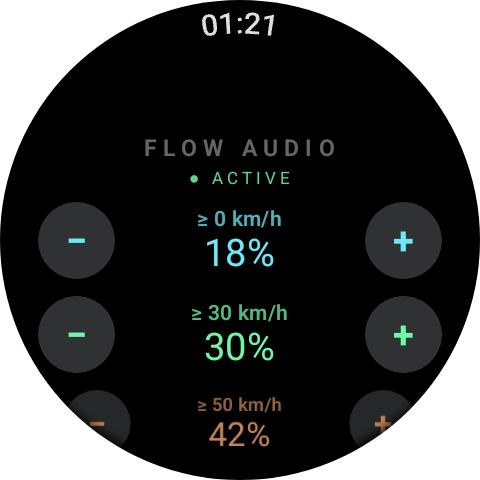
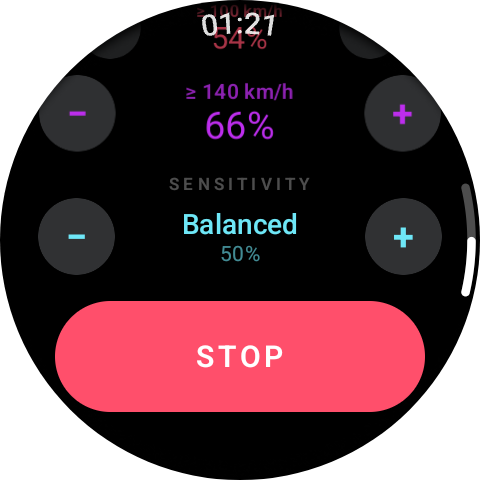
Control it from your wrist
The Wear OS companion mirrors your phone: adjust each tier's volume, change sensitivity, see whether the service is active, and stop it instantly — all without taking your hands off the wheel for longer than a glance.
Safety first
Set your volume tiers so you can always hear sirens, horns, and traffic at every speed. Configure FlowAudio before you set off — never while driving. Stay aware of your surroundings at all times.
Ready to ride?
Download FlowAudio and let your music keep pace with the road.